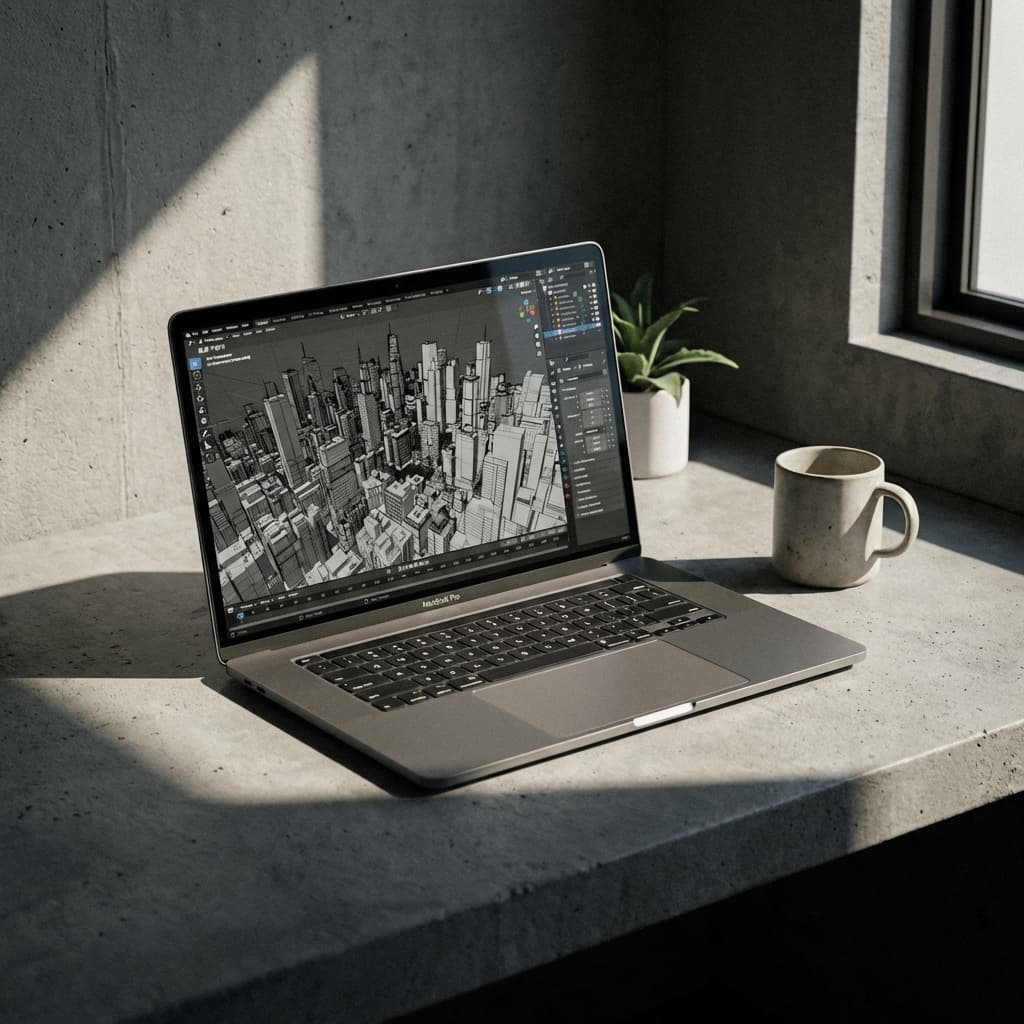
For twenty years, the advice from every architecture professor was dogmatic: "Buy a Windows laptop." The industry runs on Windows-native tools like Revit and 3ds Max. But the arrival of Apple Silicon (M1, M2, M3, M4) changed the equation.
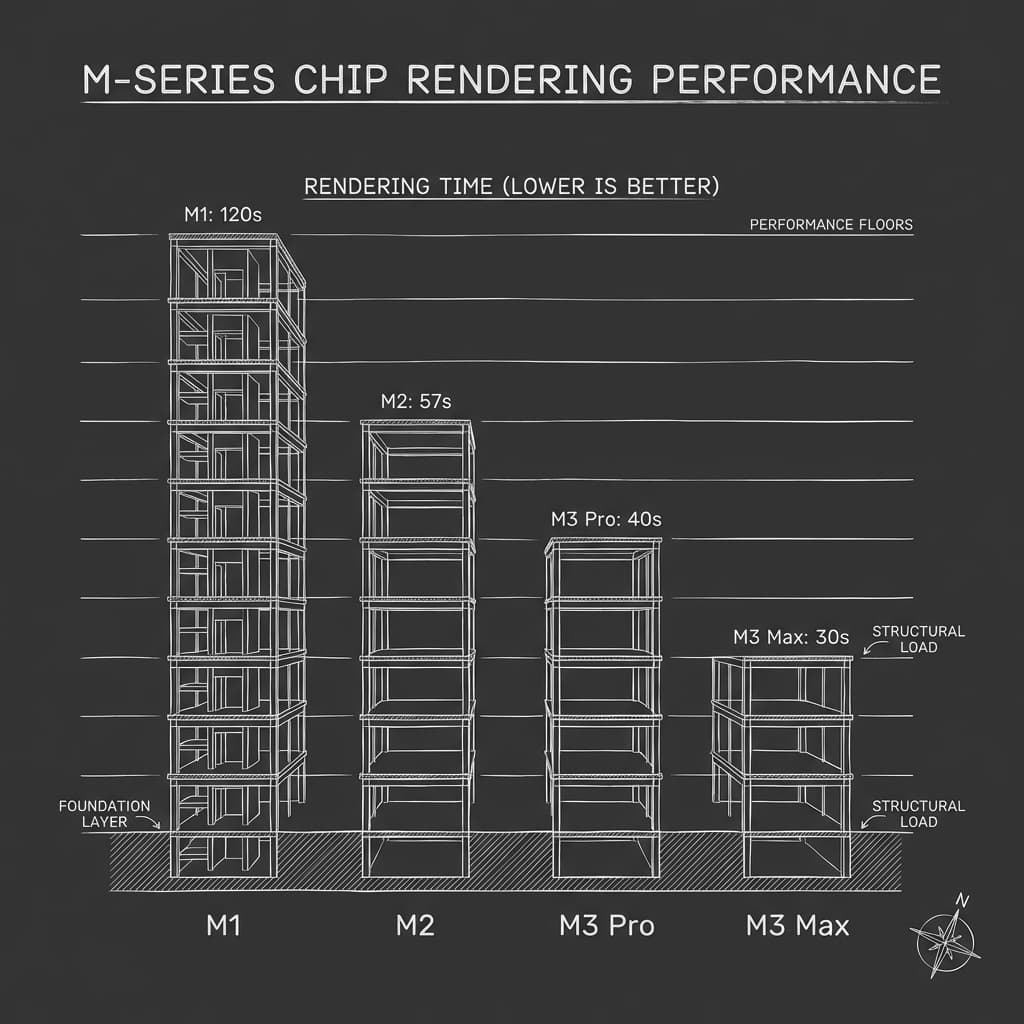
The M-series chips are not just faster; they are architecturally different. They offer "Performance per Watt" that x86 chips cannot match. This means you can render a 4K image on battery power without the laptop sounding like a jet engine.
The Compatibility Matrix
Let us address the elephant in the room first: Revit.
Autodesk has NOT released a native version of Revit for macOS. This is the biggest hurdle. However, you have two proven solutions:
- Parallels Desktop: This virtualization software allows you to run Windows 11 inside macOS. On an M3 Max chip, Revit running in Parallels is actually faster than on many native Windows laptops. It is smooth, stable, and usable for 90% of student projects.
- Windows 365 / Cloud PC: Stream a high-end Windows machine to your Mac browser. This is the future for heavy BIM coordination.
Other tools have fully embraced the Mac. Rhino 8 is now fully native and flies on Metal graphics. Archicad has always been Mac-first. Adobe Creative Cloud is significantly more stable on macOS.
The Efficiency Argument
Why bother with workarounds? Because the hardware is superior.
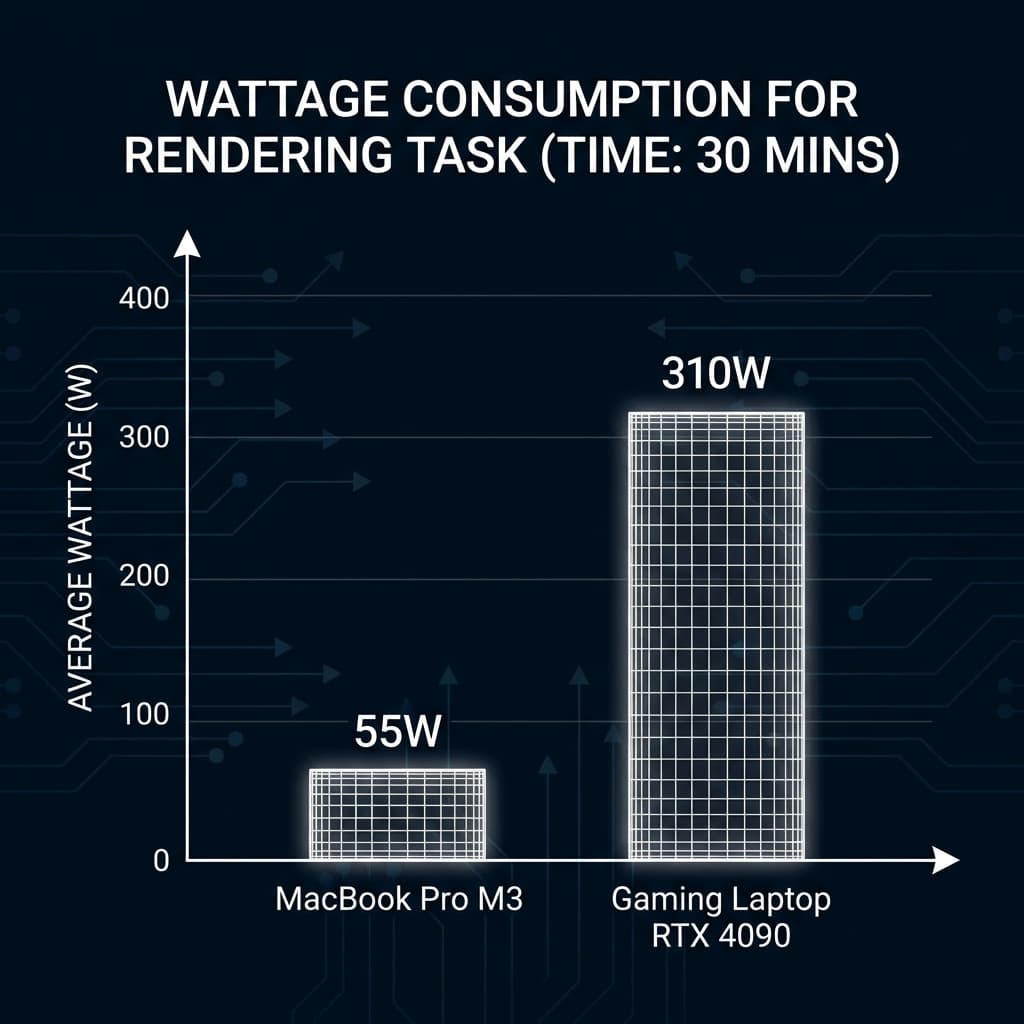
A dedicated gaming laptop with an RTX 4090 is a powerhouse, but it draws 300W of power. It lasts 90 minutes on battery. It weighs 3kg. The power brick weighs another 1kg.
A MacBook Pro M3 Max draws 40W for similar tasks. It lasts 10 hours. It maintains full performance even when unplugged (gaming laptops throttle down by 50% when on battery).
Field Notes: A Multi-Device Journey
I have worked on almost every device imaginable. My journey has taken me from building custom PCs to running remote desktops on an iPad, and even pushing Samsung DeX to its limits.
I tested the Razer Blade 14 and the LG Gram. While capable, they lacked the friction-less polish required for professional work. The Razer was powerful but hot and loud; the Gram was light but felt fragile under heavy loads.
The MacBook Pro (M1 Pro) stands apart. It feels professional. Battery life matters more than specs when you’re moving between studio and meetings. You can open a heavy Adobe suite file in a client meeting without searching for a power outlet.
Pro Tip: The Storage Problem
The only real concern with MacBooks is the "scratch disk full" error when working with massive Photoshop files. The internal storage premium is steep. My solution? A dedicated 4TB NVMe SSD in a Thunderbolt enclosure. It solved the issue instantly, giving me a massive, high-speed scratch disk without the Apple Tax.
The Ecosystem Advantage
The real advantage is how the Mac pairs with an iPad.
Using Sidecar, an iPad Pro becomes a second monitor instantly. This gives you a dual-screen workstation in a coffee shop. Using the Apple Pencil with Morpholio Trace allows you to sketch directly over your 3D models.
AirDropping renders from your Mac to your iPhone for a quick check, or to your iPad for client markup, removes friction from the workflow.
If you are willing to navigate the Revit workaround, the Mac offers a superior, more mobile, and more refined hardware experience.